
Why Linear Workflows Are Dead for AI Agents.
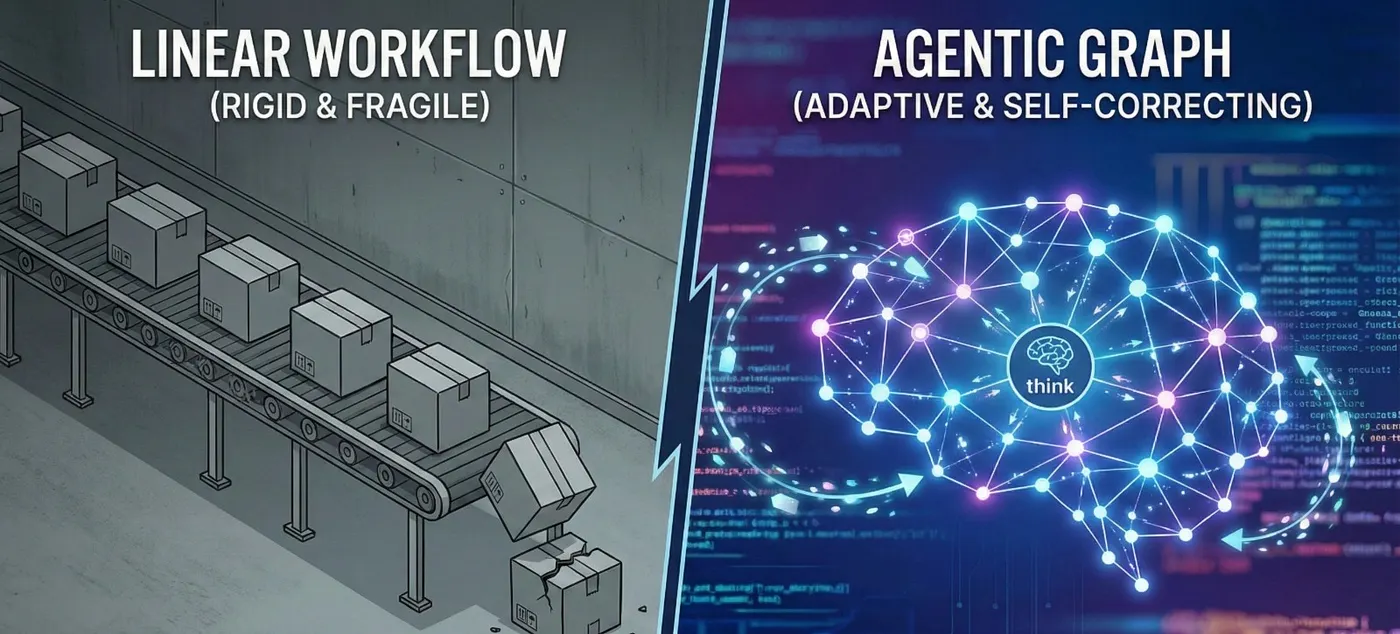
In the early days of the LLM gold rush (way back in 2023), building an AI application was simple. You constructed a Chain.
You took a user’s input, passed it to a prompt template, fed it to an LLM, and maybe piped the output into a parser. It was linear. It was predictable. It was a Directed Acyclic Graph (DAG).
And for simple tasks — like summarization or basic Q&A — chains were perfect.
But then we started demanding more. We wanted “Agents.” We wanted AI that could write code, browse the web, scrape data, and write a report. We quickly realized something painful: Linear chains are fragile.
If step 3 of your 5-step chain fails, the entire process crashes. There is no “going back.” There is no “let me think about that error and try again.”
This is why the industry is shifting aggressively toward Graphs (specifically LangGraph). If you are still building strictly linear pipelines, you aren’t building Agents; you’re building fragile automation scripts.
Here is why linear workflows are dead for complex AI, and why you need to start thinking in Loops.
The “Happy Path” Fallacy Traditional LangChain chains operate on the “Happy Path” assumption. They assume that:
The API will respond. The LLM will follow instructions perfectly. The output format will be correct. Anyone who has worked with LLMs in production knows these assumptions are dangerous. LLMs are probabilistic engines, not deterministic logic gates. They hallucinate. They miss syntax. They forget context.
In a linear chain (A -> B -> C), if Node B produces garbage, Node C consumes garbage. The result is a hallucination or a crash. To fix this in a linear framework, developers end up writing "Spaghetti Python"—wrapping chains in massive while loops and try/except blocks external to the framework itself.
Enter the Graph: Thinking in Cycles Human reasoning isn’t linear; it’s cyclic. When you write code and get an error, you don’t freeze. You read the error, you adjust your mental model, and you edit the code. You loop until it works.
LangGraph brings this cyclic capability to AI orchestration. It allows you to define Cyclic Graphs where edges can point backward.
This enables three critical patterns that Chains cannot handle gracefully:
Retries with Feedback: “The code failed? Pass the error message back to the LLM and ask it to fix it.” Human-in-the-Loop: “Pause execution here. Wait for a human to click ‘Approve’. Then continue.” Multi-Agent Collaboration: “The Researcher agent is finished. Pass the state to the Writer agent. If the Writer thinks the research is insufficient, kick it back to the Researcher.” The Secret Sauce: StateGraph The biggest technical shift from LangChain to LangGraph is how data is handled.
Become a member In a Chain, data is often passed as a confusing string of text appended to the prompt history. In LangGraph, we use a State Schema.
Think of the State as a shared whiteboard in a meeting room.
Agent A stands up, reads the whiteboard, writes a plan, and sits down. Agent B stands up, reads the plan, executes it, and writes the result. Agent C (The Critic) reads the result. If it’s bad, Agent C erases the “Done” status and writes “Needs Revision.” The cycle points back to Agent A. Here is what that looks like in code.
A Practical Example: The Self-Correcting Coder Let’s imagine we are building a coding agent using Gemini Pro. We want it to write a Python script, run it, and fix it if it crashes.
The Old “Chain” Way: You ask Gemini to write code. You run exec(). It crashes. You cry.
The LangGraph Way:
Python
from typing import TypedDict, Annotated
from langgraph.graph import StateGraph, END
Here is the code Example.

# 1. Define the "Whiteboard" (The State)
class AgentState(TypedDict):
    code: str
    error: str
    iterations: int
# 2. Define the Nodes
def coder_node(state):
    # If there is an error in state, Gemini fixes it.
    # Otherwise, it generates new code.
    response = gemini_model.invoke(state)
    return {"code": response.content, "iterations": state['iterations'] + 1}
def executor_node(state):
    try:
        exec(state['code'])
        return {"error": "None"}
    except Exception as e:
        return {"error": str(e)}
# 3. Define the Logic (The Edges)
def should_continue(state):
    if state['error'] == "None":
        return END
    if state['iterations'] > 3:
        return END # Prevent infinite loops
    return "coder" # LOOP BACK!
# 4. Build the Graph
workflow = StateGraph(AgentState)
workflow.add_node("coder", coder_node)
workflow.add_node("executor", executor_node)
workflow.set_entry_point("coder")
workflow.add_edge("coder", "executor")
workflow.add_conditional_edges("executor", should_continue)
app = workflow.compile()
Look at the should_continue function. That is the magic. We aren't just moving forward; we are evaluating the current state of the world and deciding whether to loop back.
Migrating Your Mindset If you are a developer sitting on a pile of LLMChain or SequentialChain legacy code, you don't need to rewrite everything tomorrow.
Start by identifying the “Fragile Points” in your application. Where do your users get frustrated? Where does the model fail most often?
Is it RAG retrieval? (Add a loop to re-write the search query if zero results are found). Is it JSON formatting? (Add a loop to pass the validation error back to the model). Conclusion The era of “Fire and Forget” AI is over. As we move toward agents that perform actual work, we must embrace the messiness of iteration.
Chains were a great starting point, but Graphs are how we build applications that are resilient enough for the real world. Stop building pipelines. Start building loops.